
Your reading list, printed as a magazine.
Galley turns the links you save into beautifully set editions — a cover, a contents page, two columns, numbered pages — ready for the printer on your desk.
Version 0.2.0 · macOS 15 or later · Signed & notarized by Apple
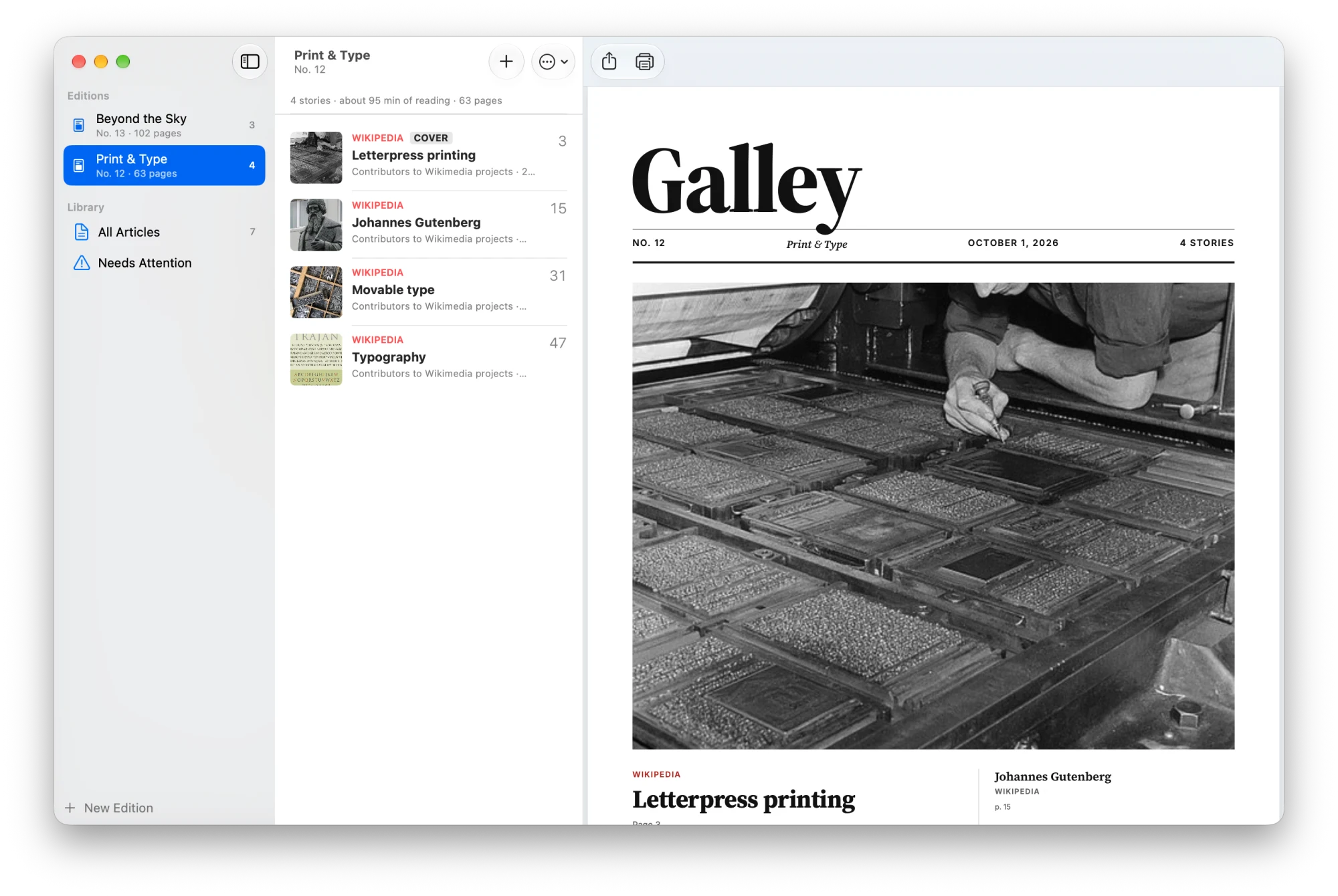
From saved link to printed page
No account, no subscription, nothing in the cloud. Galley does everything on your Mac.
Save what you want to read
Choose Share → Galley in Safari or any app, paste a link with ⌘V, or drop it on the window. Galley fetches the article and its photos.
Gather it into editions
Make an edition for the weekend, for a topic, or for a trip. Reorder stories, pick the cover story, leave out the parts you don’t need.
Print it and read it
Galley sets the whole edition like a magazine in a couple of seconds. Print it at home on A4 or Letter, staple it, and read it away from the screen.
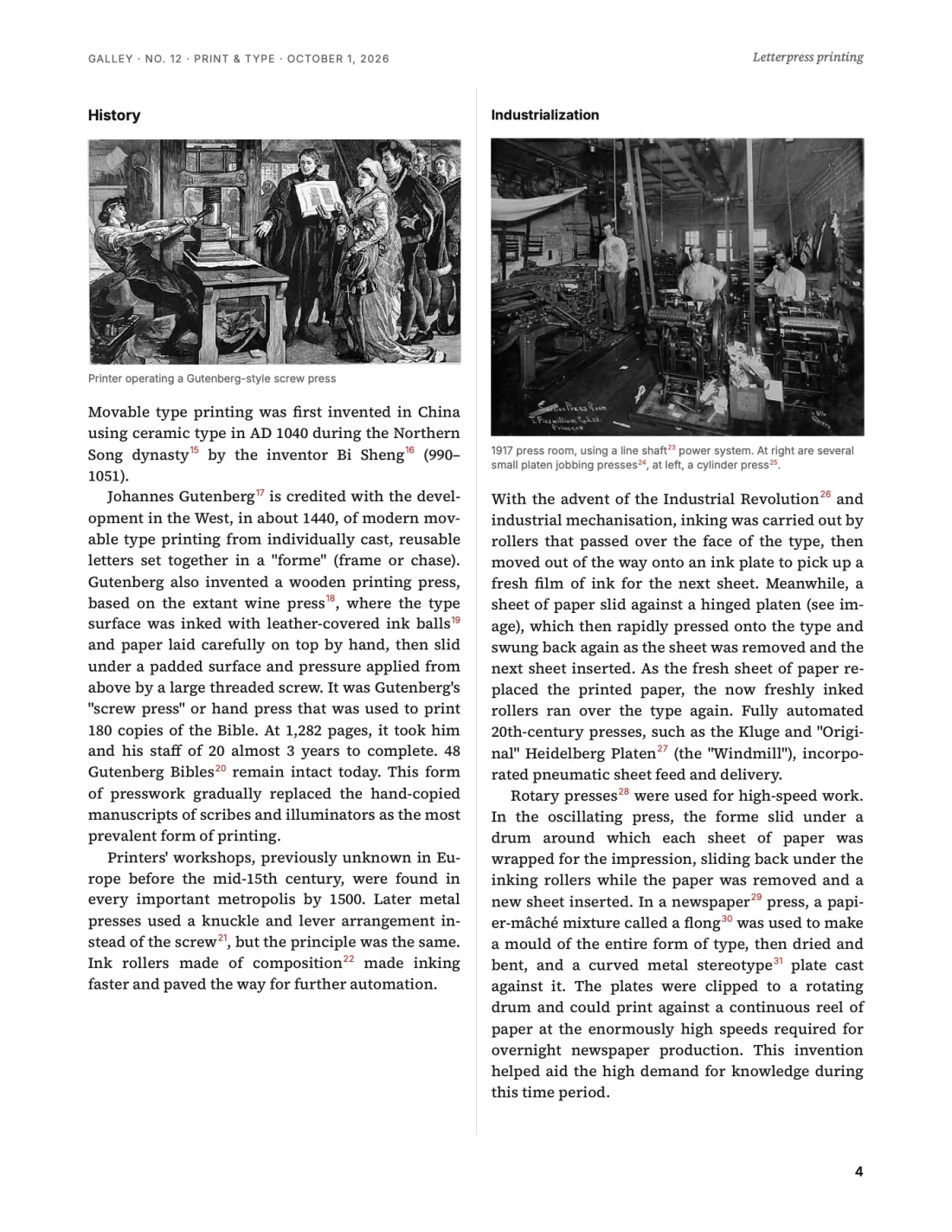
Pages worth printing
Real typesetting, not a web page sent to the printer.


Small touches that add up
Share from anywhere
A Share extension for Safari, Chrome and any app with a Share menu — plus a galley:// link for Shortcuts.
Leave out what you don’t need
Double-click an article to see exactly what Galley found, then click any paragraph or picture to drop it from the printout.
Two columns or one
A proper two-column magazine layout, or a single generous column if you prefer. Headlines and photos stay big.
A4 or US Letter
Sized for the printer you have, with margins home printers can actually print. Colour, greyscale, or text only.
Private by design
No account and no server. Articles are fetched and kept on your Mac, and editions are laid out right there.
Latin and Cyrillic type
The bundled typefaces cover English, European languages and Cyrillic scripts, with proper hyphenation.
Read slowly, away from the screen
Galley was inspired by services that post you a printed magazine of your saved articles each month. It brings the same idea home: anywhere you have a printer, you can have your own magazine.
Keep one edition for the week, another for a long flight, and a third for the topic you’re digging into. Print whichever one is ready.

Free, open, and yours to change
Galley is MIT-licensed and built in the open. Read the code, report a bug, or design a theme of your own — themes are plain CSS.
- AppSwiftUI and SwiftData
- ReadingWebKit and Mozilla Readability
- LayoutPaged.js, composed into columns
- TypeSource Serif 4 and Inter
- CoversOpenverse, on-device Vision
Make your first edition tonight.
Free for macOS 15 and later. Drag it to Applications, paste a link, press Print.
Download Galley